2 December 2025 · 3 min · Stian Andreassen
Generative AI film clips: from 3D render through GPT, NanoBanana and Veo to Premiere Pro

This image was meant to serve as the basis for an animation in which we add motion, lighting changes and seasonal moods – without altering the architecture.
2. Prompt development with GPT-5.1
The next step was to use GPT-5.1 to develop a precise, technical prompt that I could carry forward into the Gemini Nano Banana model.
This is a critical step in the workflow: a good generative model can produce strong results, but without a precise prompt you end up with randomness and little control. GPT-5.1 gave me a prompt that locked in:
- perspective
- materials
- architecture
- garage placement
- camera angle
- lighting logic
- directions of movement
This was necessary to ensure the AI didn't invent new buildings, new garages or alter the terrain – a familiar challenge when working with generative AI.
3. First result in Nano Banana / Gemini – promising generative AI film clip, but with critical errors
Nano Banana is good at fast visual transformation, but in the first round the model invented elements that weren't in the original image – among them:
- added buildings that shouldn't be there
- unnecessary objects
- unnatural motion paths
- inexplicable morphing of elements
These aren't weaknesses of the project, but of the technology in general: AI always tries to "complete" a scene with its own imagination whenever something is ambiguous.
I therefore used negative prompts to remove unwanted effects and force the model to stick to the original geometry, even though this didn't go entirely to plan at first.
The result improved with each round, and in the end I got the generative AI film clip I was after.
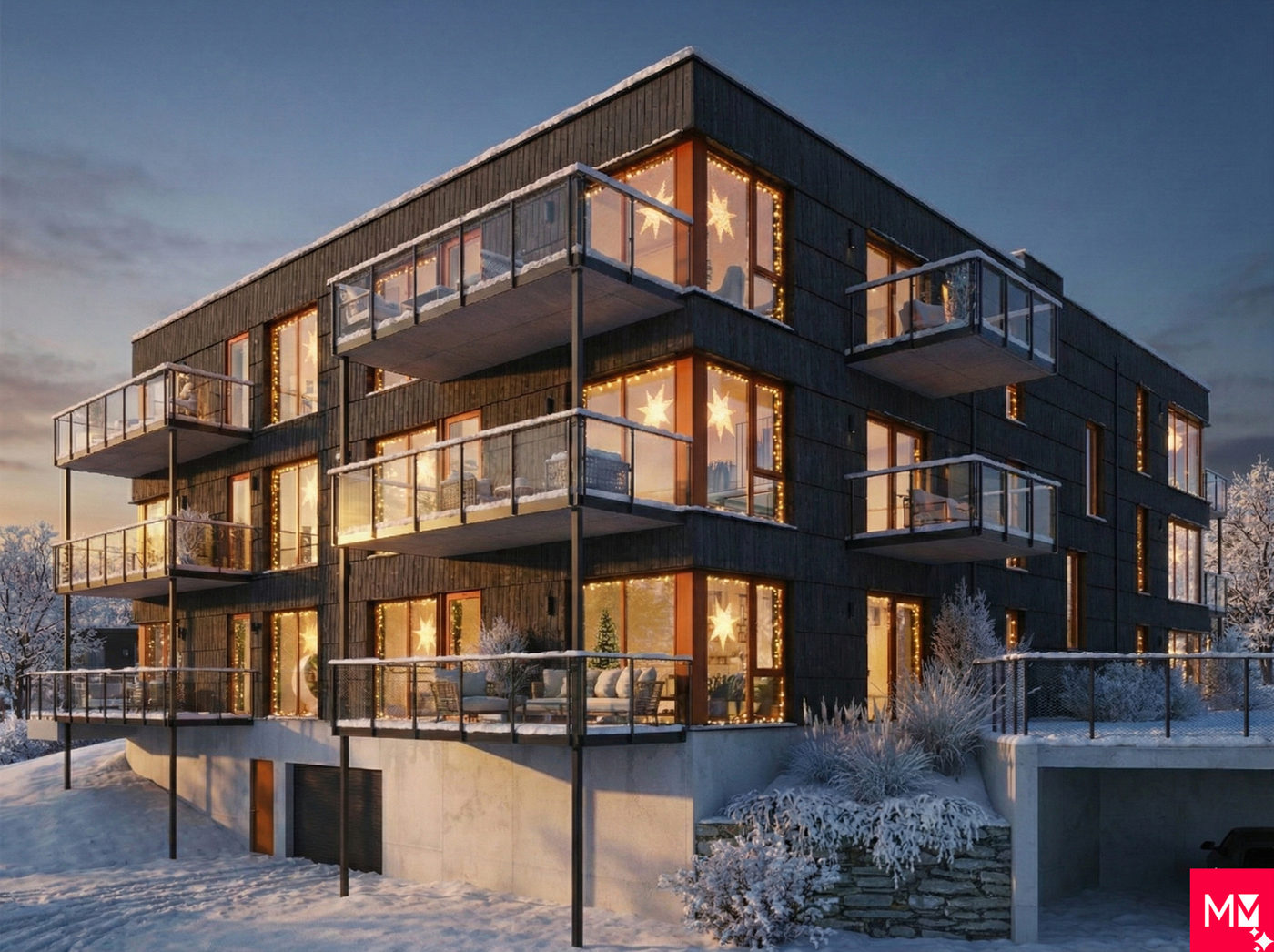
4. Veo 3.1 – the final step toward a cinematic look
Once the Nano Banana version was as close to the desired result as possible, I moved the material over into Veo 3.1, Google's film-focused model. Veo is stronger at:
- stable camera movement
- better lighting control
- more coherent animation
- better edge detail
Some errors still cropped up here – small things like wrong directions of movement and AI-generated elements in the background. I had to go a few rounds, and the result turned out good enough that I could easily:
- crop the clip
- remove unwanted elements in Premiere Pro
- adjust the focus
At this point AI had done 90% of the job – the rest was pure, creative finishing.
5. Final result: an efficient workflow for fast prototyping of film based on 3D
The process demonstrates something important:
AI's strength is creating:
- moods
- movement
- weather
- light
- rhythm
- narrative
…while the architectural integrity still comes from the original 3D illustration.
In this project I ended up with a short clip that combines the best of several worlds:
- Maestro Media's 3D expertise
- GPT-5.1's precision in prompt development
- Gemini Nano Banana's fast transformation
- Veo 3.1's cinematic treatment
- Premiere Pro for efficient editing
The result was a cohesive film sequence that feels real – while delivering production value far faster than traditional methods. But heaven help us if the client needs changes (...)